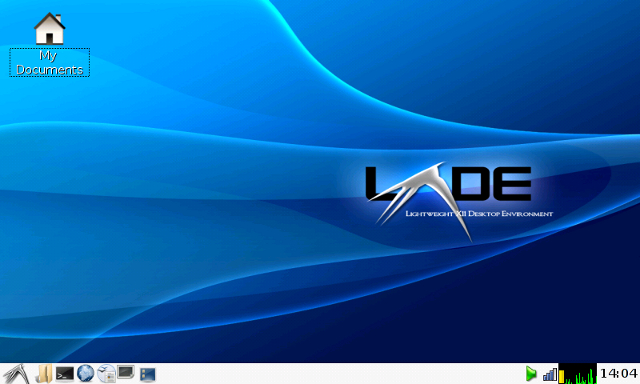
This project is an extension of the bootable USB Linux installation, with an emphasis on the Knoppix 6.0.1 CD. Knoppix 6.0 uses a pleasantly lightweight and fast LXDE desktop environment, and has useful software such as OpenOffice and Iceweasel / Firefox. The CD is a stripped down version of the Knoppix 6.0 DVD, and will run much faster when installed to a flash memory device. Part one entails preparation of a USB flash memory for a Linux installation.
Obtaining the Knoppix 6.0.1 CD Image:
Obtaining the Knoppix 6.0.1 CD image is an easy task. It is available in either English or German language, and is on many download sites. Among the most reliable is the Bit Torrent file: KNOPPIX_V6.0.1CD-2009-02-08-EN.torrent on the Unix-AG tracker. There are plenty of seeders; downloading time is a few hours on a typical DSL connection. When the download is finished, burn the ISO to a CD and give this new Knoppix a test drive on your hardware.
Knoppix 6.0 contains a utility for automatically installing to a USB flash drive. Called the flash-knoppix tool [LXDE --> System Tools --> Install KNOPPIX to flash disk], it can be used to easily make a bootable Knoppix usb flash drive. For a more customized, multi-sytem installation (with Knoppix, SLAX, Backtrack, etc), continue through the manual installation procedure below.
Manually installing Knoppix 6.0 to a USB flash drive then involves the following steps:
Supplies needed are:
- A USB flash memory stick, at least 1GB in size (must hold Knoppix plus your data files)
- A working Knoppix CD or DVD.
Important: Make sure your computer\'s boot sequence (in BIOS Settings) lists CD/DVD devices prior to USB devices, and then your hard drive.
- Download
grubfolder.zip, unzip it, and open "menu.lst"
in a text editor. Scroll to the bottom of the file
and remove (or comment out) the title, kernel, and
boot lines for systems you don\'t have. For example,
if you are going to use only Knoppix, delete the
Backtrack and SLAX entries. Edit the Knoppix section
to read as indicated below, then save and close the
edited file. The "grub" folder will be used in step 6.
title Knoppix 6.0.1
root (hd0,0)
kernel /boot/isolinux/linux ramdisk_size=100000 lang=us vt.default_utf8=0 apm=power-off vga=791 initrd=minirt.gz nomce quiet loglevel=0 nolapic_timer
initrd /boot/isolinux/minirt.gz
boot - Boot the Knoppix disc, and when the system is up, insert the flashdrive into an open USB slot.
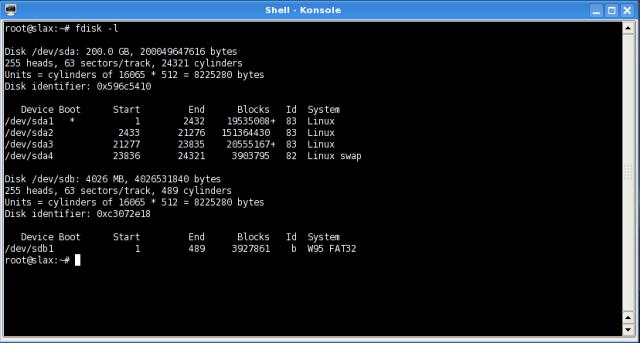
- Open a console ("Konsole" if you are using the
KDE desktop), enter the command "fdisk -l" and read the list
of drives and partitions. CAREFULLY IDENTIFY THE
FLASH DRIVE! In this example, it is "sdb."
- Use Gparted (or QTParted) to reformat the
flashdrive, and make it bootable. Select the FAT32
filesystem as the first or only partition if you want
compatability with computers running Windows. A great
method is to make another partition to hold the "persistent
home" and custom Knoppix configuration files. In any case,
write down your intended partition set-up, to avoid confusion
later.
If you want a separate partition for encrypted data, invisibility from Windows, or other features, set it up as a second or third partition after the FAT filesystem.
Next, continue to the installation page for steps to install the
system files and bootloader onto your USB stick.
© 2005 - 2024 AB9IL.net, All Rights Reserved.
About Philip Collier / AB9IL,
Commentaries and Op-Eds,
Contact,
Privacy Policy and Affiliate Disclosure,
XML Sitemap.
This website is reader-supported. As an Amazon affiliate, I earn from qualifying purchases.